TeleCopy reads the signals from the Telegram channels you choose and executes the trades automatically on MT4, MT5 and cTrader. Fast, precise, and fully under your control.
Self-hosted · Your data and credentials stay on your own PC/VPS
As soon as a signal hits the channel, the trade opens on your account within seconds. Zero manual work.
Entry, Stop Loss, Take Profit, partial closes and break-even: faithfully replicates the channel's strategy.
Self-hosted software: your Telegram session and broker credentials stay on your computer. We never see them.
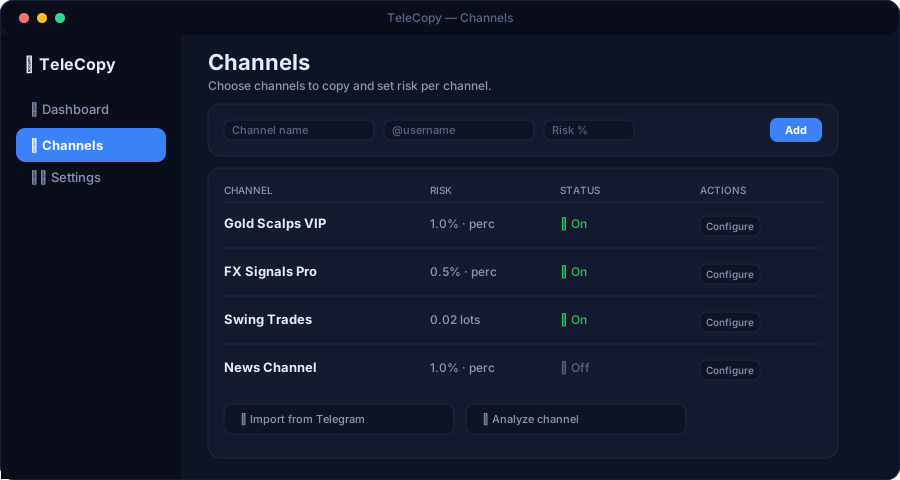
Set risk per trade, fixed lots or percentages. Every account with its own rules.
Copy from multiple channels at once to one or more accounts. Each channel with its own settings.
Discards stale signals, checks risk and ignores messages that aren't real trades.
Download the software and install it on your Windows PC or VPS. The installer sets everything up automatically, including your MT4/MT5 terminals.
Log in with your Telegram account and choose the channels you want to copy signals from. Only your channels, under your control.
Link your MT4, MT5 or cTrader account. Credentials stay on your device.
Define lots, risk percentage and management rules. Then let TeleCopy do the work.
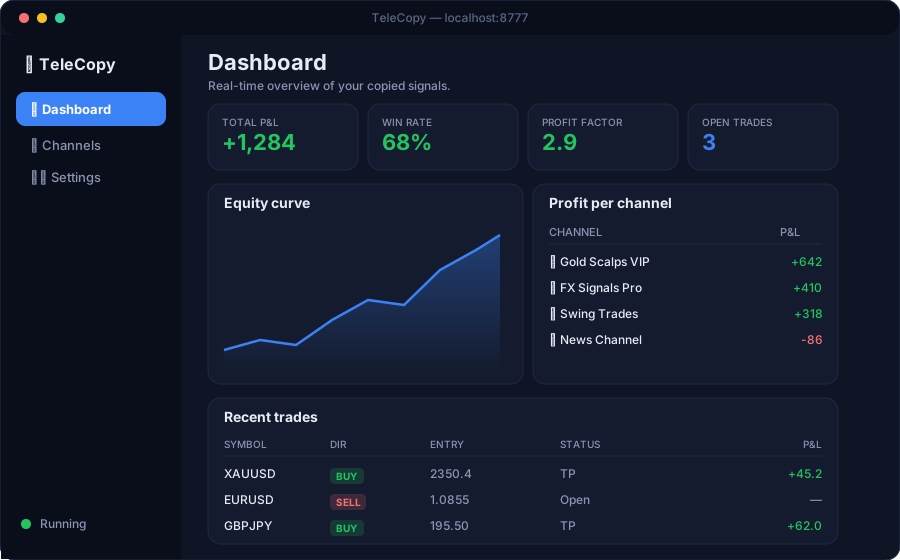
A clean dashboard shows your profit per channel, equity curve and every trade — in real time.
Compatible with the most popular trading platforms.
How we compare to other copiers.
| Feature | TeleCopy | Other copiers |
|---|---|---|
| Your data stays on your device | ✓ | ✗ |
| Copy from unlimited channels | ✓ | ~ |
| MT4 / MT5 / cTrader | ✓ | ~ |
| Full management (SL/TP/partials/BE) | ✓ | ✗ |
| Per-account risk settings | ✓ | ✗ |
| Transparent pricing, cancel anytime | ✓ | ~ |
Simple and transparent. One subscription per account.
VAT excluded · Cancel anytime
VAT excluded · Cancel anytime
🔒 For your security, all orders are processed via Stripe.
You can cancel your subscription anytime.
TeleCopy is in its final development stage. Leave your email to be among the first to try it, with a reserved launch offer.
No. TeleCopy is a self-service technical tool. Your funds stay in your broker account, your credentials on your device. You choose the channels and rules; the software only executes.
Yes. The software is self-hosted: it runs on your own PC or VPS. Your Telegram session and broker credentials never pass through our servers.
MetaTrader 4, MetaTrader 5 and cTrader.
Any Telegram channel you are subscribed to. You choose which ones.
Yes, the software must run while you copy (a computer that stays on, or better, a Windows VPS).
No. Trading involves risk. TeleCopy replicates the signals you choose, but results depend on the quality of the channels and market conditions. No guarantee of results.
TeleCopy runs on Windows. Mac users can run it on a Windows VPS.
A VPS is recommended so the copier runs 24/7 hands-free. A VPS is a virtual computer that stays on in the cloud. Otherwise, keep your PC on while copying.
After payment you receive your license token, the download link and the install guide directly in our Telegram bot and by email.
Yes, you can change your trading account anytime at no extra cost.
Still have questions? 💬 Chat with us on Telegram
 TeleCopy